HomeLab
This is the page, where I overshare about my shitty homelab. Have fun reading all that :3
> Hardware
A quick overview of the hardware in my server (not guaranteed to be up to date):
-
Server
- Intel Core i7-7700
- 48GB DDR4 RAM
- 2x 16GB
- 2x 8GB
- NVIDIA GTX 1650 SUPER
- Gigabyte B250-HD3P-CF
- 2x 240GB SSDs & 1x 500GB SSD
- 2x2TB HDDs
- Unraid
- Used for anything, that requires compute or storage
-
Additional devices in HomeLab
- Some crusty old HP gigabit PoE switch, that I got for free
- BlueWalker PowerWalker VI 500 UPS
- Fritz!Box 7590 🥸
-
UniFi APs
- 3x UAP AC LR
- 1x AC Mesh
-
Cloud servers
-
KVM Server
- 2 EPYC 7543 cores
- 4GB RAM
- 50GB Storage
- Ubuntu 24.04
- Used for services, which need to be a bit more reliable
-
Shared Webspace
- 10GB Storage
- PHP, MySql and some shitty mailserver
- KeyHelp interface
- Used for static websites and smaller php projects
-
KVM Server
> History
2021 The beginnings
I’m honestly not sure when I got started with all of this, probably 2021 (when I registered my first domain) or maybe 2022 (based on a timestamp of a photo I found in my gallery). It all began with two Raspberry Pi 3B units. One was running Discord music bots, and the other had an external HDD and hosted a Nextcloud instance using NextcloudPi. Looking back, I’m kind of surprised I didn’t lose any data with that setup
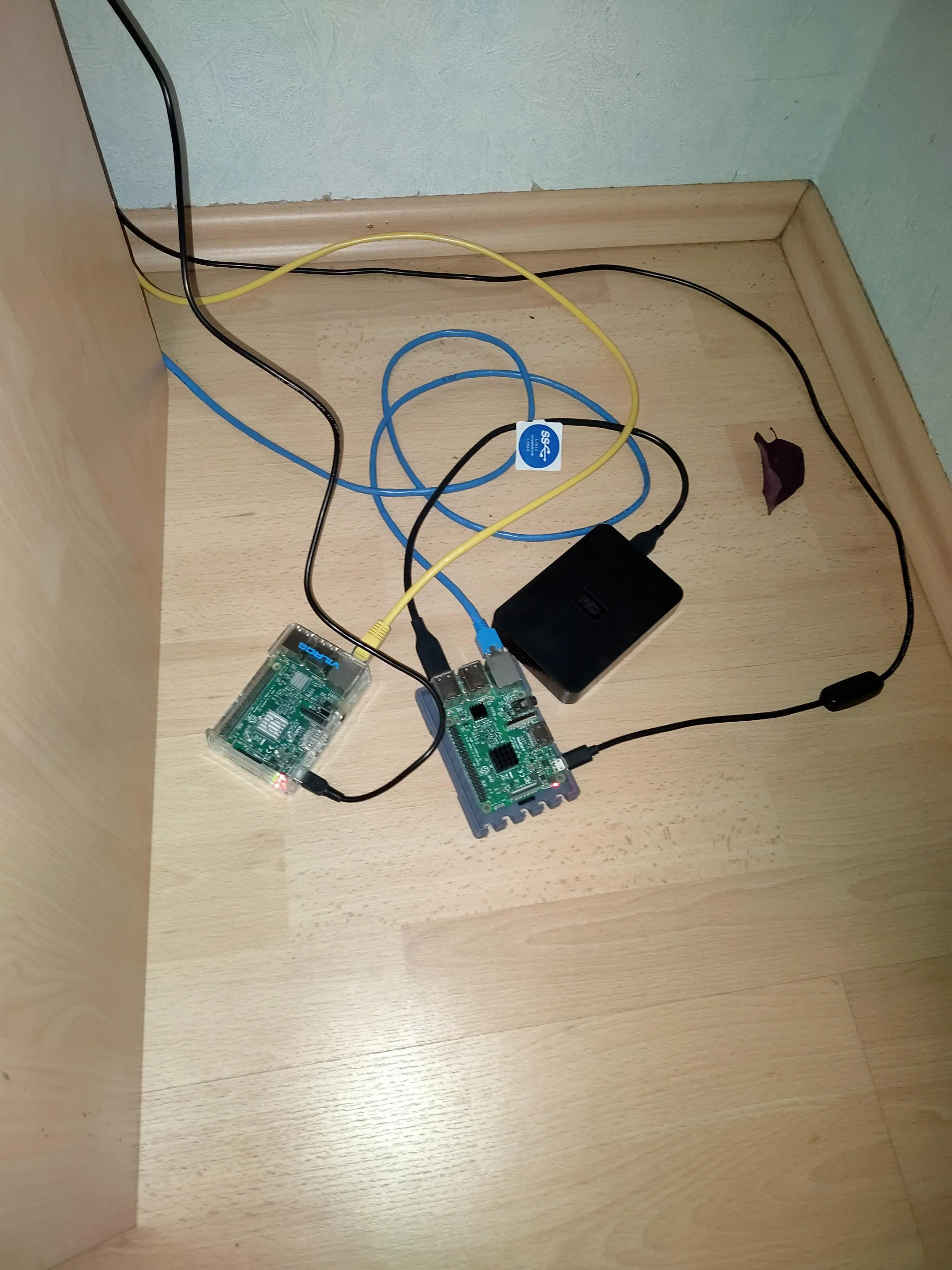
My old HomeLab, hidden behind a cabinet. Leaf for decoration
2022 More stuff
After learning about Home Assistant and Pi-hole, I wanted to self-host those too. I didn’t have any spare Pis left, so I repurposed an old Trekstor notebook and installed Debian on it.
I installed the services "bare metal" – directly on the OS, which isn’t even officially supported by Home Assistant anymore.
The notebook got a USB Ethernet adapter and a permanently attached power cable. I didn't remove that battery, which was (considering the machine) quite the fire hazard
2023 A new home
As more and more services joined my HomeLab, it became impractical to run them on weak standalone machines. So I decided to convert my old PC into a server.
It had (after some upgrades) an i7-3770, 20 GB DDR3 RAM, 2x 2 TB HDDs and 2x 240 GB SSDs, all grouped into pools. I chose Unraid as my OS, the demo seemed user-friendly and worked well for me.
Migrating everything was pretty easy, I just set up Nextcloud from scratch. Everything except for HomeAssistant ran in doccker from that point on
2024 Backups!
The RAID on my server doesn’t count as a real backup, so I started building a "proper" backup system.
At first, I used Duplicati to push weekly backups to an old NAS I had lying around at home.
As the amount of important data on the server grew, I figured it was time to add a second, off-site backup location. I managed to get another old NAS and set it up at my grandma’s place, including a permanent VPN connection to her network.
To save power, I configured a schedule to turn the NAS on only on Sundays for the backups. I also installed a remote power switch in case I ever need to boot it manually.
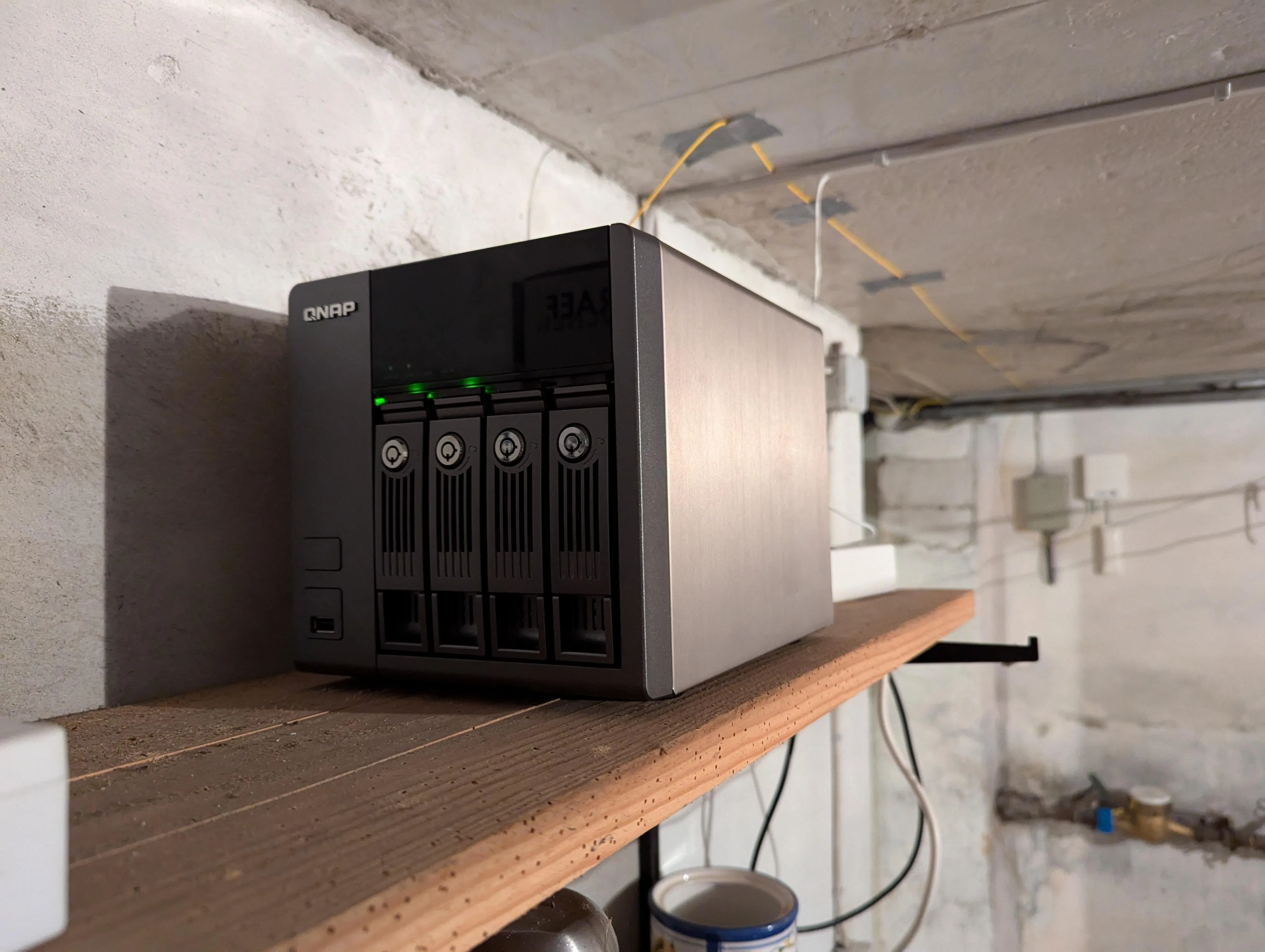
The prebuilt nas in my grandma's basement
Over time, that NAS became unbearably slow. So in June 2025, I decided to build a new one using old parts from the attic. More on that in this Mastodon post :)
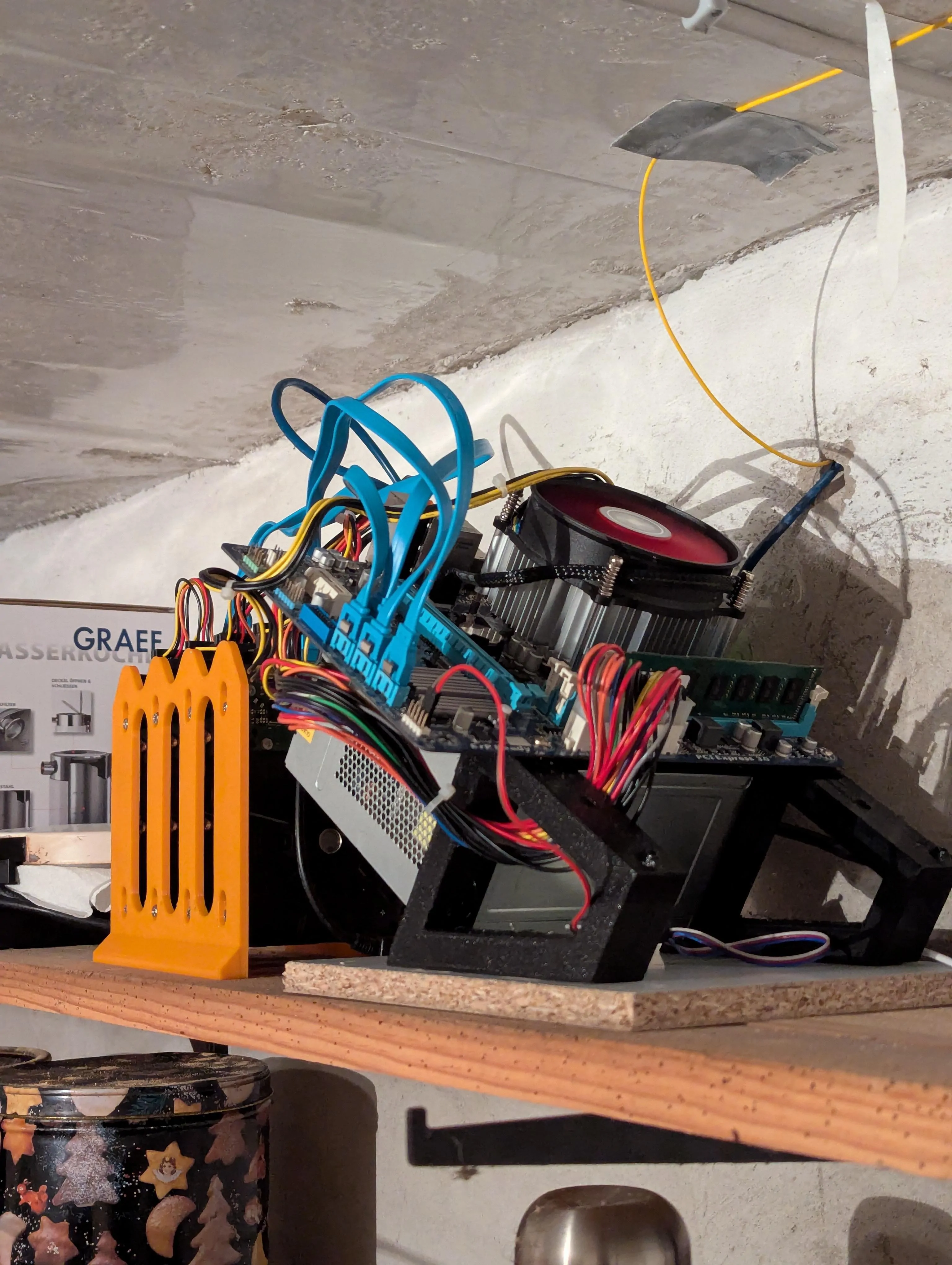
The backup server in my grandma's basement
2025 Another move
With Windows 10 reaching end-of-life, I got lucky and snagged a PC with an i7-7700 :3
While I was still waiting for that machine to arrive, my old network rack decided to just fall off the wall 🥸
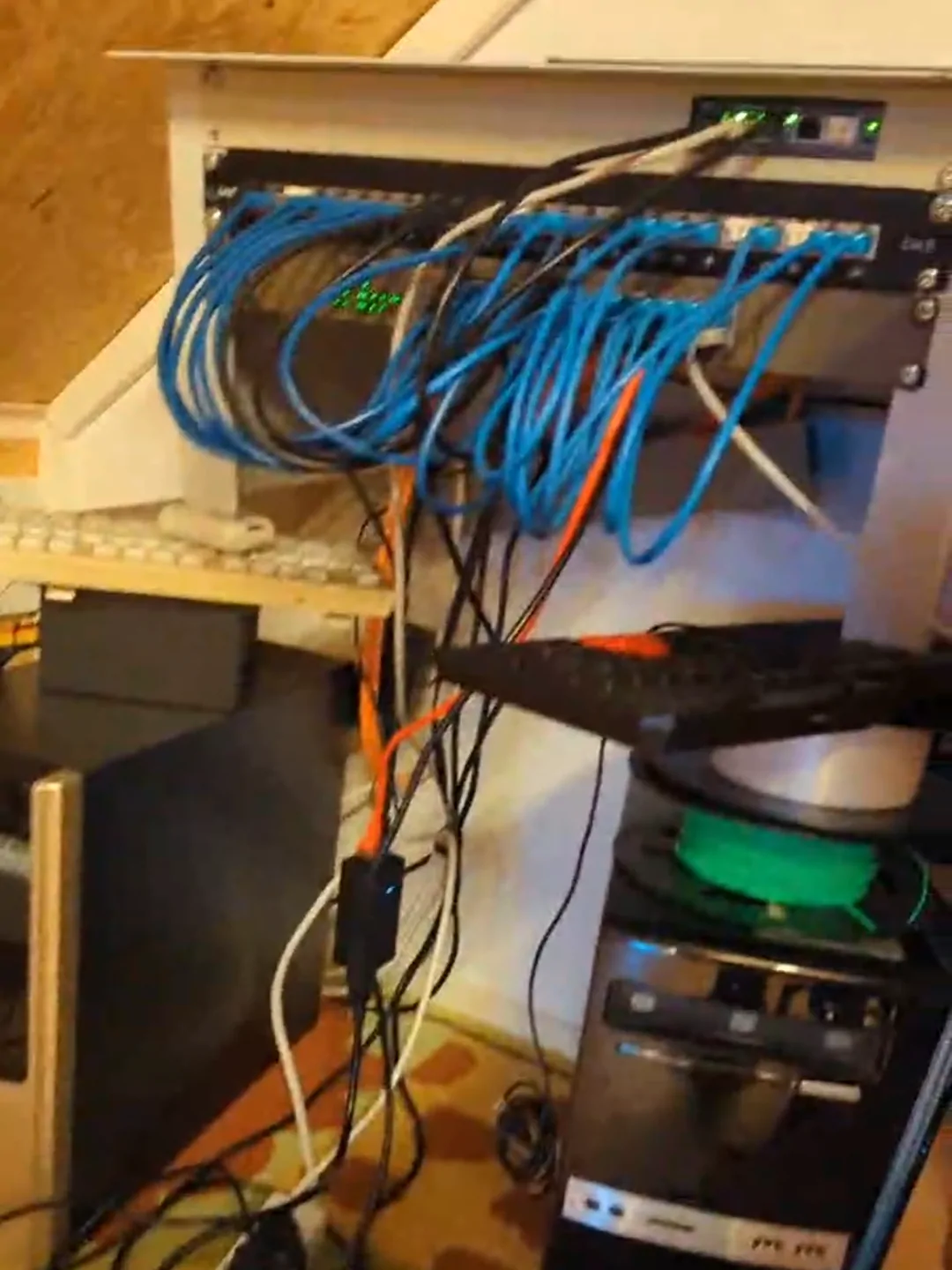
My old rack, fallen off the wall
Given the circumstances, I bought a larger rack that could hold both the server and a UPS. First, I got the EFB WGB-1912GR60 and mounted the network hardware inside.
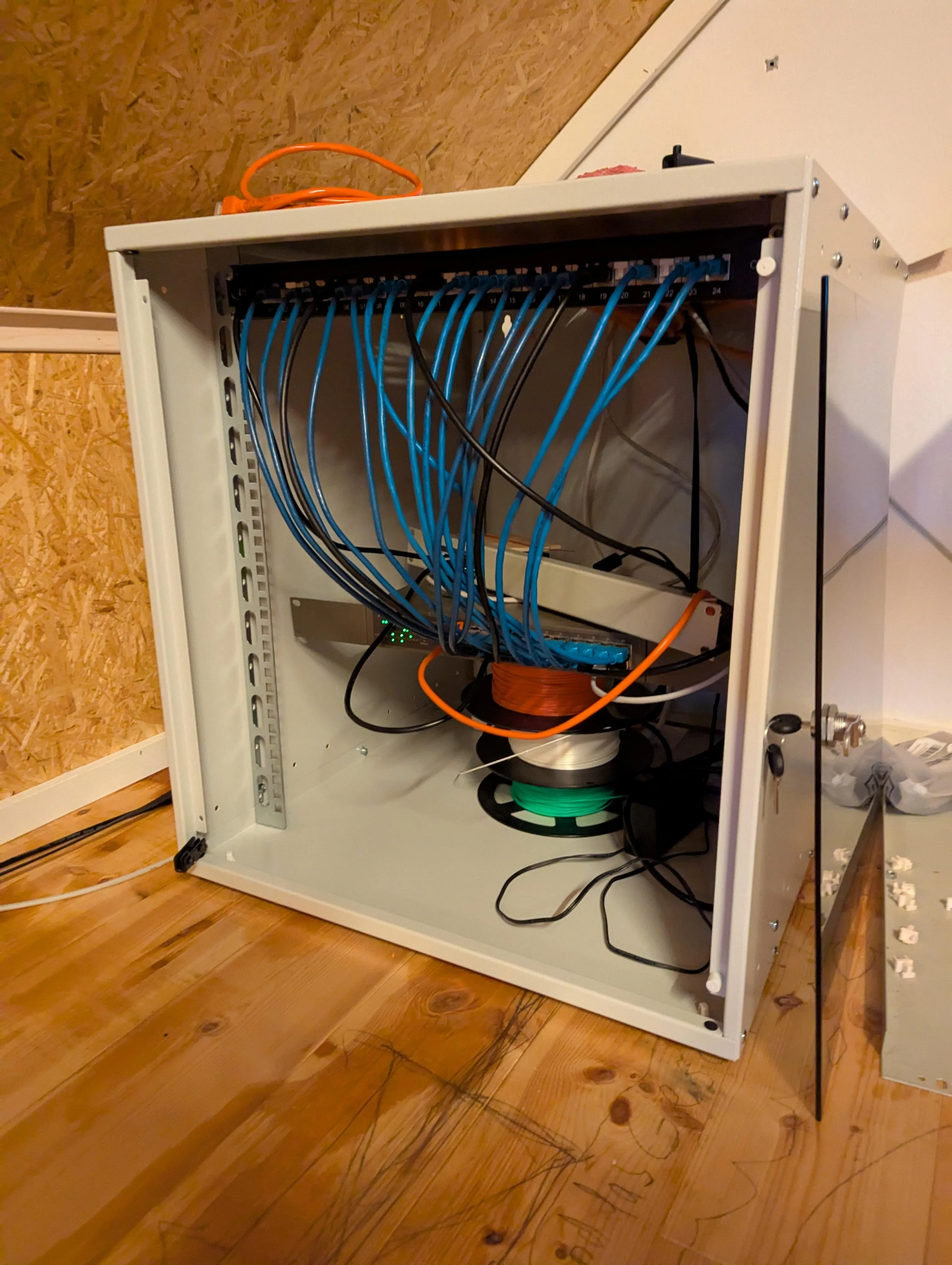
Someone forgot to order cage nuts?
Soon after, I put the new server into an Inter-Tech 3U-K-340L case (do NOT buy it, it’s awful!). It was then mounted alongside this UPS. Since I reused all drives from the previous system, all I had to do was change the IP address of the new server to match the old one.
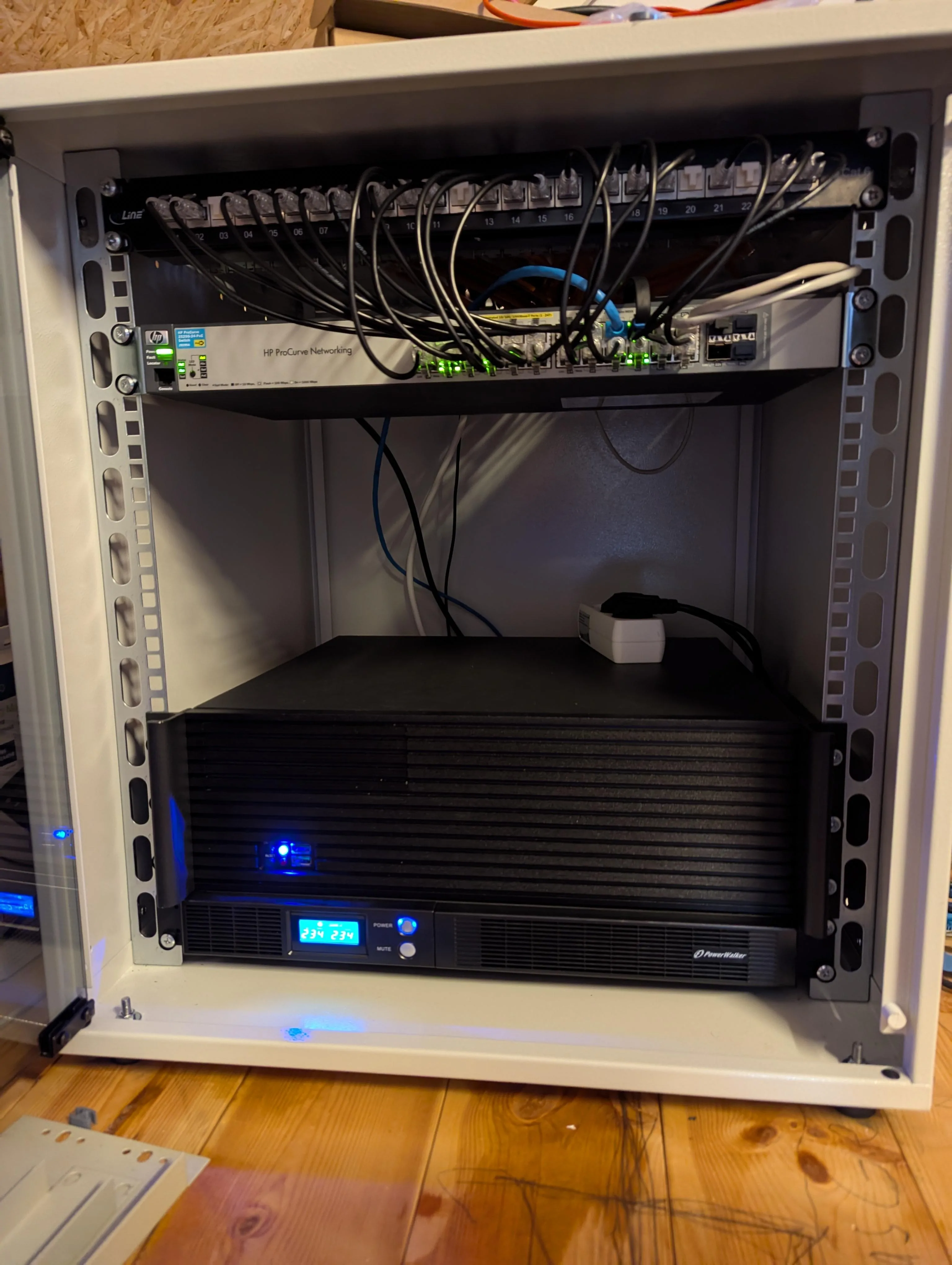
Current rack with server and UPS
> Services
A selection of services/applications, that I host
-
Nextcloud
- The single service for personal data storage in my homelab
-
Apps/Extensions
- Memories for pictures. I consider this as an immich alternative
- Recognize for image tagging
- GPodder Sync to sync my podcasts
- Collabora Office (hosted in a seperate container)
- Essentials like Mail, Forms, Notes etc.
- Hosted at: Home
-
Mastodon
- A small, personal instance
- Would take another software today, but it works well :)
- glitch-soc
- Hosted at: Home (proxied through KVM)
-
HomeAssistant
- Lives in a VM
- Zigbee dongle attached via UsbIp
- Hosted at: Home
-
Jellyfin
- Home for my legally obtained movies and music
- Hosted at: Home
-
Vaultwarden
- Fancy password manager for me and my family
- Hosted at: Home
-
Authentik
- SSO for most of my services
- Hosted at: Home
-
Uptime Kuma
- Uptime monitoring for all my services
- Hosted at: KVM
-
Side projects
- Vegan-Inspector
- Multiplayer Hangman
- ...
- Hosted at: KVM